

Where to find the skill settings?
- Log in to Greetmate
- Go to your agent skills
How skills work
Skills are always available to your agent, and they can be used to execute tasks or answer questions. You can add skills to your agent to make it more useful and engaging.Skills can also be executed during workflows.
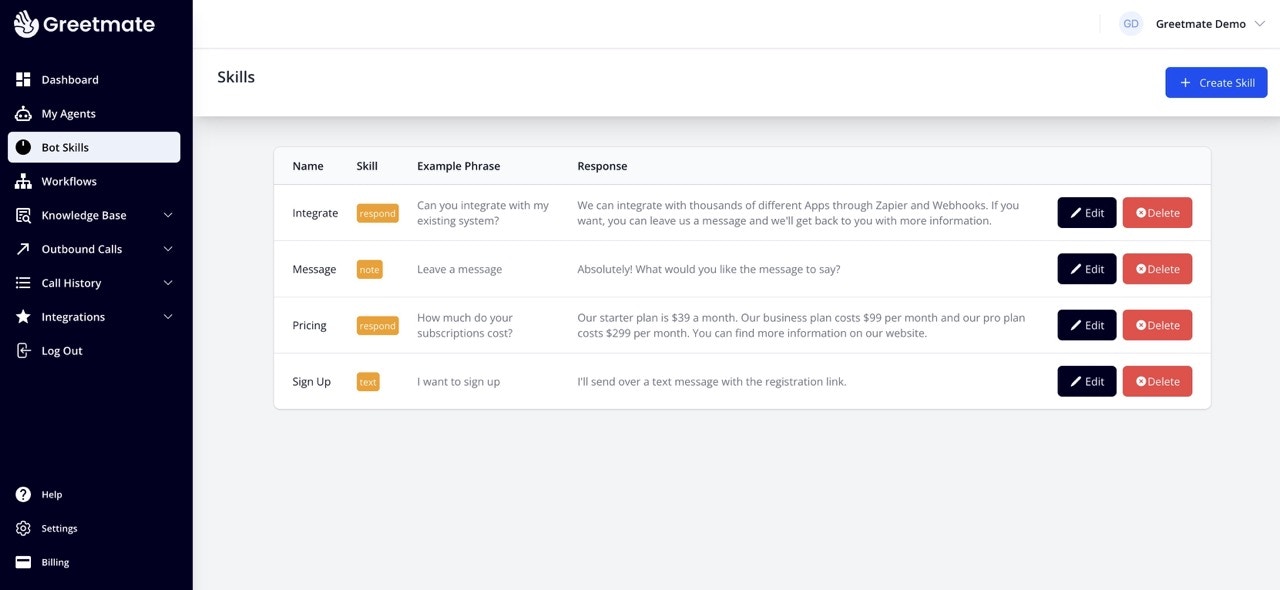
Create a skill
- Click on the
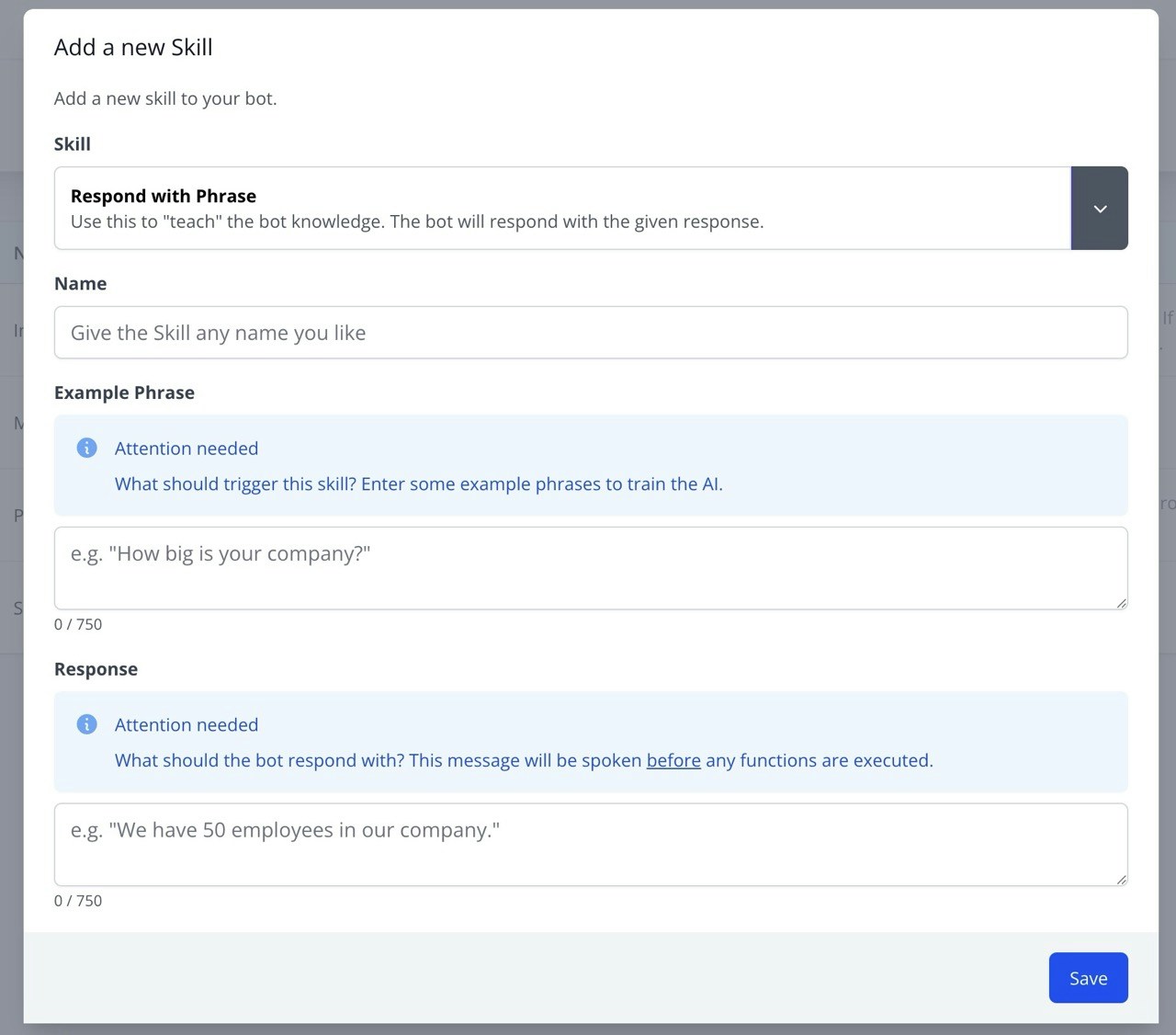
Create skillbutton - Choose a skill type
- Give it a name
- Provide an example phrase. This will trigger the skill when the agent hears this or a phrase with a similar intention.
- Enter a response. This is what the agent will say when the skill is triggered.
Skill types
Respond with phrase
Respond with phrase
Respond with a hard-coded phrase when the skill is triggered.
Connect to agent
Connect to agent
Connect the caller to a live agent.
Read from website
Read from website
Read information from a website in real time (e.g. real estate listings).
Take message
Take message
Take a message from the caller and send it to your email address.
Send text message
Send text message
Send a text message to a phone number.
Send a webhook
Send a webhook
Send a webhook to a URL.