> ## Documentation Index
> Fetch the complete documentation index at: https://docs.greetmate.ai/llms.txt
> Use this file to discover all available pages before exploring further.
# Agent Skills
> Give your agent skills to execute tasks and answer questions.
## Where to find the skill settings?
1. Log in to Greetmate
2. Go to [your agent skills](https://www.greetmate.ai/bot/skills)
## How skills work
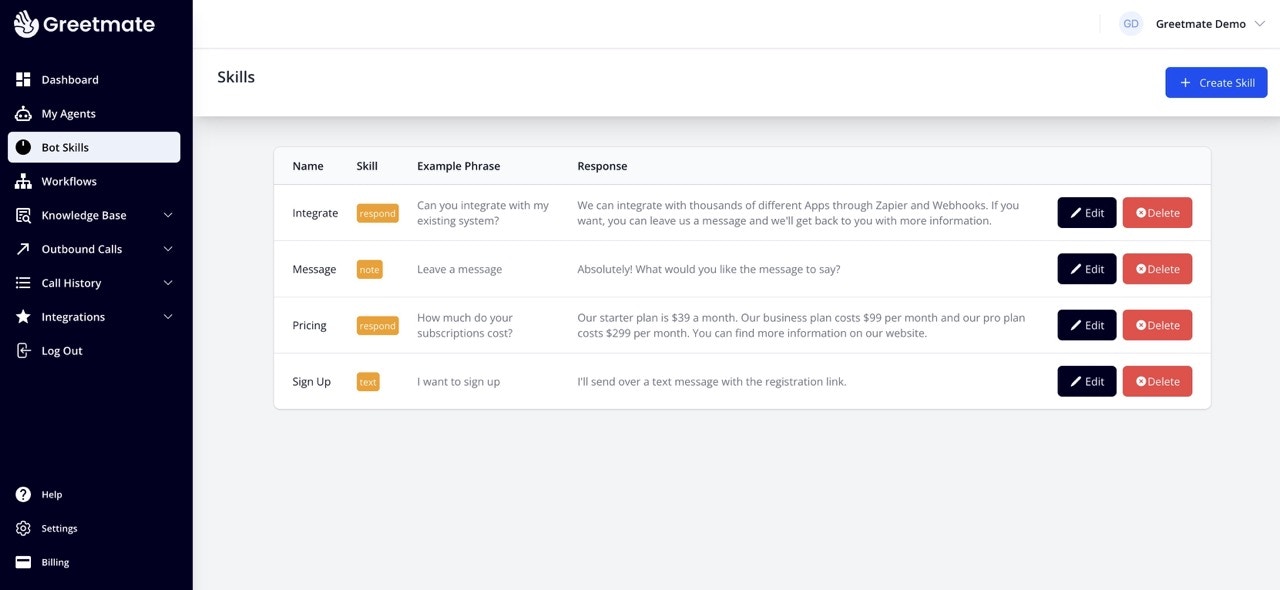
Skills are always available to your agent, and they can be used to execute tasks or answer questions. You can add skills to your agent to make it more useful and engaging.
Skills can also be executed during workflows.
 ## Create a skill
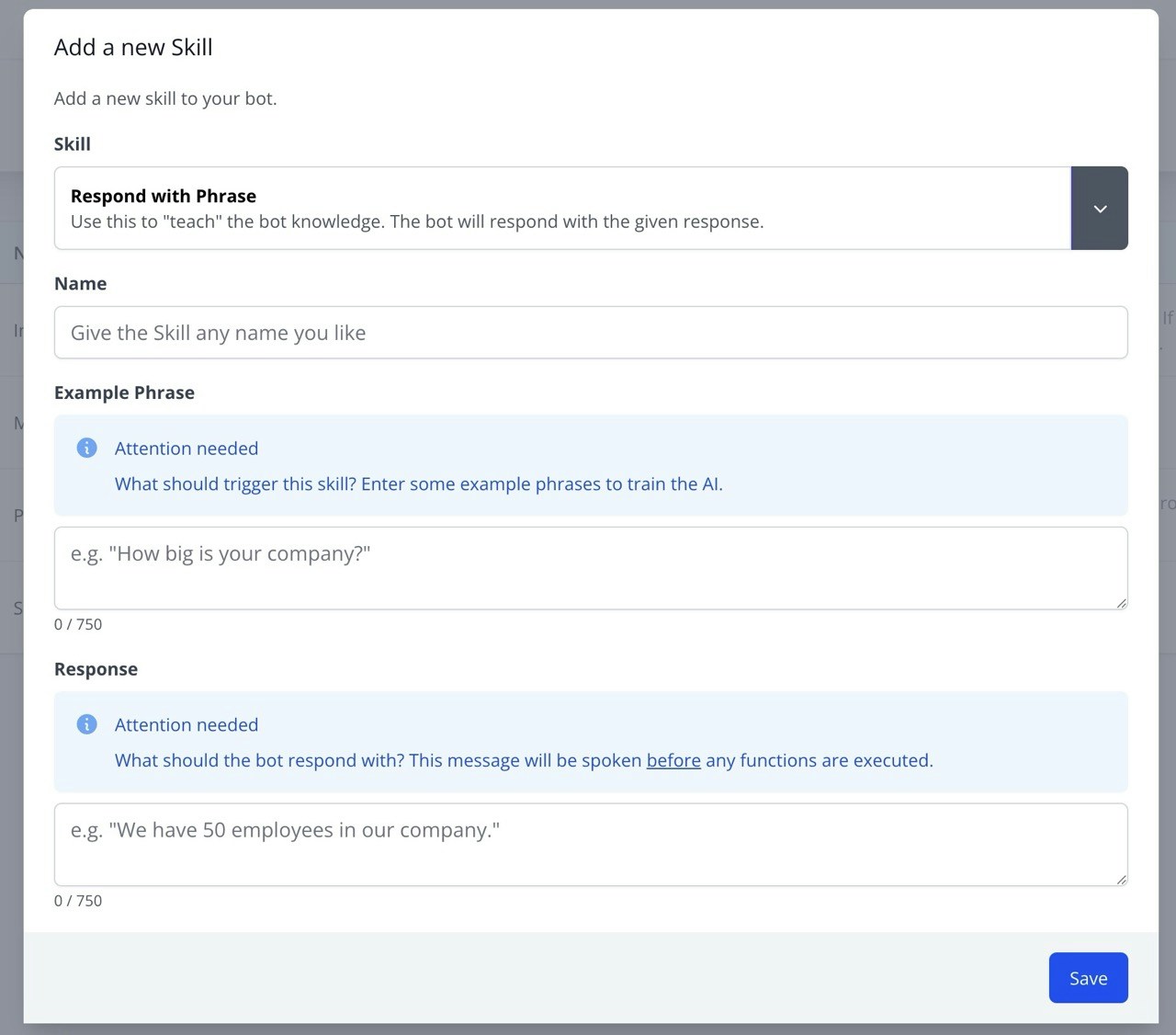
1. Click on the `Create skill` button
2. Choose a skill type
3. Give it a name
4. Provide an example phrase. This will trigger the skill when the agent hears this or a phrase with a similar intention.
5. Enter a response. This is what the agent will say when the skill is triggered.
## Create a skill
1. Click on the `Create skill` button
2. Choose a skill type
3. Give it a name
4. Provide an example phrase. This will trigger the skill when the agent hears this or a phrase with a similar intention.
5. Enter a response. This is what the agent will say when the skill is triggered.
 ### Skill types
Respond with a hard-coded phrase when the skill is triggered.
Connect the caller to a live agent.
Read information from a website in real time (e.g. real estate listings).
Take a message from the caller and send it to your email address.
Send a text message to a phone number.
Send a webhook to a URL.
### Skill types
Respond with a hard-coded phrase when the skill is triggered.
Connect the caller to a live agent.
Read information from a website in real time (e.g. real estate listings).
Take a message from the caller and send it to your email address.
Send a text message to a phone number.
Send a webhook to a URL.